Dental implants can involve several costs, and the total amount may depend on the number of implants, crowns, abutments, consultations, diagnostic procedures, and additional treatments a dental professional may recommend.
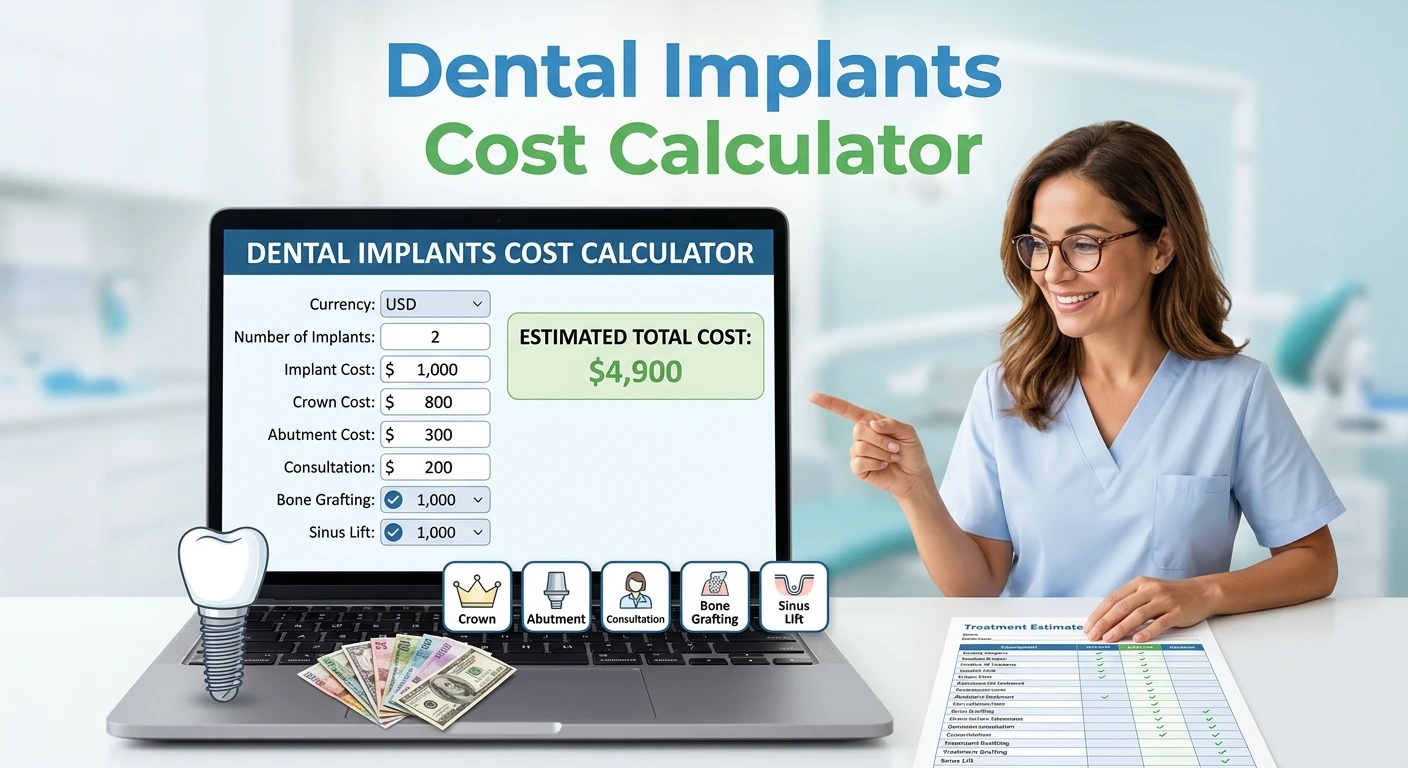
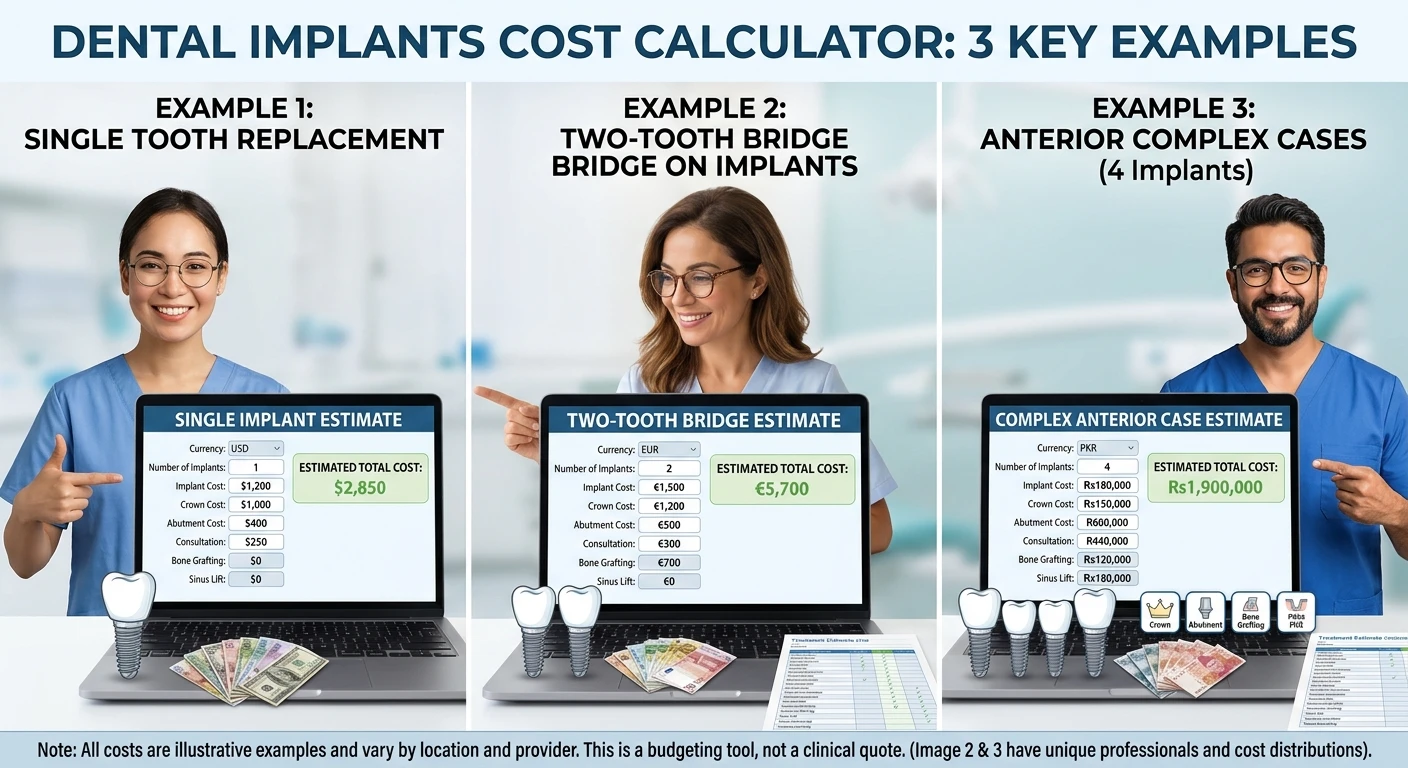
Our Dental Implants Cost Calculator helps you create a simple estimate based on the prices you enter. You can select a currency, enter the number of implants, add estimated costs for implants, crowns, and abutments, and include optional costs such as bone grafting or a sinus lift.
The calculator does not provide an official dental quote. Instead, it helps you organize and calculate your own estimated treatment costs.
Important: This calculator is for general informational and budgeting purposes only. Actual dental implant costs vary by patient, dental professional, clinic, location, materials, procedures, and treatment plan. The calculator does not provide a diagnosis, treatment recommendation, or guaranteed price.
Dental Implants Cost Calculator
What Is a Dental Implants Cost Calculator?
A dental implants cost calculator is a tool that adds up the different cost components associated with implant treatment.
Instead of looking at one total number, the calculator allows you to enter individual estimates for:
Number of implants
Implant cost per tooth
Crown cost per tooth
Abutment cost per tooth
Consultation or diagnostic costs
Bone grafting
Sinus lift procedures
This makes it easier to see how different costs contribute to a potential treatment budget.
The calculator also supports several currencies, including USD, GBP, EUR, PKR, INR, AED, SAR, CAD, AUD, NZD, JPY, and CNY.
How Does the Dental Implant Cost Calculator Work?
The calculator uses a straightforward addition-based approach.
For each implant, you enter an estimated implant cost, crown cost, and abutment cost.
The calculator then multiplies those per-tooth costs by the number of implants.
The basic calculation is
Implant Cost = Number of Implants × Implant Cost Per Tooth
Similarly:
Crown Cost = Number of Implants × Crown Cost Per Tooth
And:
Abutment Cost = Number of Implants × Abutment Cost Per Tooth
The calculator then adds the additional costs you enter.
Optional procedures are included only when you select them.
What Costs Can Be Included?
Dental implant treatment may involve multiple components rather than one single charge.
The exact items included in a quote can differ by provider and treatment plan. That’s why it is useful to understand what each calculator field represents.
1. Implant Cost
The implant itself is one component of an implant restoration.
In the calculator, enter the estimated cost for one implant, then specify the number of implants required.
For example, if you enter a cost of 1,000 units of your selected currency per implant and choose three implants, the calculator will calculate:
1,000 × 3 = 3,000
This is only an example of the calculator’s mathematics. It is not a statement about the actual market price of dental implants.
2. Crown Cost
The crown is the visible restoration that may be placed over the implant-supported structure.
Because the calculator allows you to enter a crown cost per tooth, it multiplies that amount by the number of implants entered.
For example:
Crown Cost Per Tooth × Number of Implants
The actual restoration used and its price depend on the treatment plan and provider.
3. Abutment Cost
In many implant systems, an abutment connects the implant to the restoration.
The calculator allows you to enter an estimated abutment cost per tooth.
It calculates:
Abutment Cost Per Tooth × Number of Implants
Whether an abutment is separately charged or included in a treatment quote can vary.
4. Consultation and Diagnostic Costs
Dental treatment may involve consultations and diagnostic procedures.
Your dental provider may determine which examinations or imaging procedures are appropriate for your situation.
The calculator provides a separate field where you can enter an estimated consultation or diagnostic amount.
5. Bone Grafting
Some patients may require additional procedures involving the bone before or during implant treatment.
The calculator includes an optional Bone Grafting field.
If you select the option, enter the estimated amount, and the calculator adds it to the total.
Do not assume bone grafting is necessary for every implant patient. Whether additional treatment is appropriate is a matter for a qualified dental professional to determine.
6. Sinus Lift
A sinus lift is another procedure that may be considered in certain situations involving the upper jaw.
This calculator includes it as an optional field.
If your treatment estimate includes such a procedure, you can enter the quoted amount and include it in the calculation.
Again, the calculator does not determine whether this procedure is appropriate for you.
How to Use the Dental Implants Cost Calculator
Using the calculator is simple.
Step 1: Select Your Currency
Choose the currency you want to use.
The calculator includes several common currencies and an “Other” option.
The selected currency affects how the calculator displays the result. It does not convert prices between currencies.
For example, entering a price in USD and selecting PKR does not automatically convert the USD amount into Pakistani rupees. Enter costs in the currency selected in the calculator.
Step 2: Enter the Number of Implants
Enter the number of implants you want to include in your estimate.
For example:
1, 2, 3, 4, or more
The calculator requires at least one implant.
Step 3: Enter the Implant Cost
Enter your estimated implant cost per tooth.
This could come from a written estimate or price information provided by a dental clinic.
Step 4: Enter the Crown Cost
Enter the estimated crown cost per tooth.
The calculator multiplies this amount by the number of implants.
Step 5: Enter the Abutment Cost
If your estimate lists the abutment separately, enter its cost per tooth.
If the abutment is already included in another quoted price, avoid adding it twice.
Step 6: Add Consultation or Diagnostic Costs
If you have a separate consultation or diagnostic estimate, enter it in the appropriate field.
This field is optional.
Step 7: Add Optional Procedures
If applicable, select:
Bone Grafting
Sinus Lift
Then enter the estimated cost.
Only select these options if they are included in the estimate you are calculating.
Step 8: Click Calculate Estimated Cost.
The calculator adds the entered costs and displays an estimated total.
The result also provides a breakdown so you can see which components contribute to the estimate.
Example of a Dental Implant Cost Calculation
Suppose someone wants to create a hypothetical estimate for two implants.
For illustration only, assume the following entered values:
Number of implants: 2
Implant cost per tooth: $1,000
Crown cost per tooth: $800
Abutment cost per tooth: $300
Consultation/diagnostics: $200
Bone grafting: $500
Sinus lift: $0
The calculation would be
Implant Cost
2 × $1,000 = $2,000
Crown Cost
2 × $800 = $1,600
Abutment Cost
2 × $300 = $600
Consultation and Diagnostics
$200
Bone Grafting
$500
Total
$2,000 + $1,600 + $600 + $200 + $500 = $4,900
Therefore, the calculator would display a hypothetical estimated total of
$4,900
This example demonstrates how the calculator works. It is not a recommended, average, or guaranteed dental implant price.
Dental Implants Cost Calculator
Why Do Dental Implant Costs Vary?
No single price applies to every dental implant case.
Several factors can affect the final cost.
Number of Implants
Replacing one tooth may involve a different treatment plan from replacing several teeth.
As the number of implants increases, some cost components may increase as well.
Type of Restoration
Different restorations and materials can have different costs.
The appropriate restoration depends on the patient’s treatment plan and the dental professional’s assessment.
Additional Procedures
Some patients may require additional procedures before or during implant treatment.
Examples can include bone-related procedures or sinus-related procedures.
These should not be assumed for everyone.
Diagnostic and Examination Costs
A dental provider may recommend examinations or imaging as part of treatment planning.
The type and cost of these services can vary.
Location
Dental treatment prices can differ by country, city, clinic, and healthcare system.
Therefore, an estimate from one location should not automatically be used as the expected price somewhere else.
Dental Provider and Clinic
Different providers may use different materials, implant systems, laboratory services, facilities, and pricing structures.
This can affect the final quote.
Why a Calculator Cannot Give an Exact Dental Implant Price
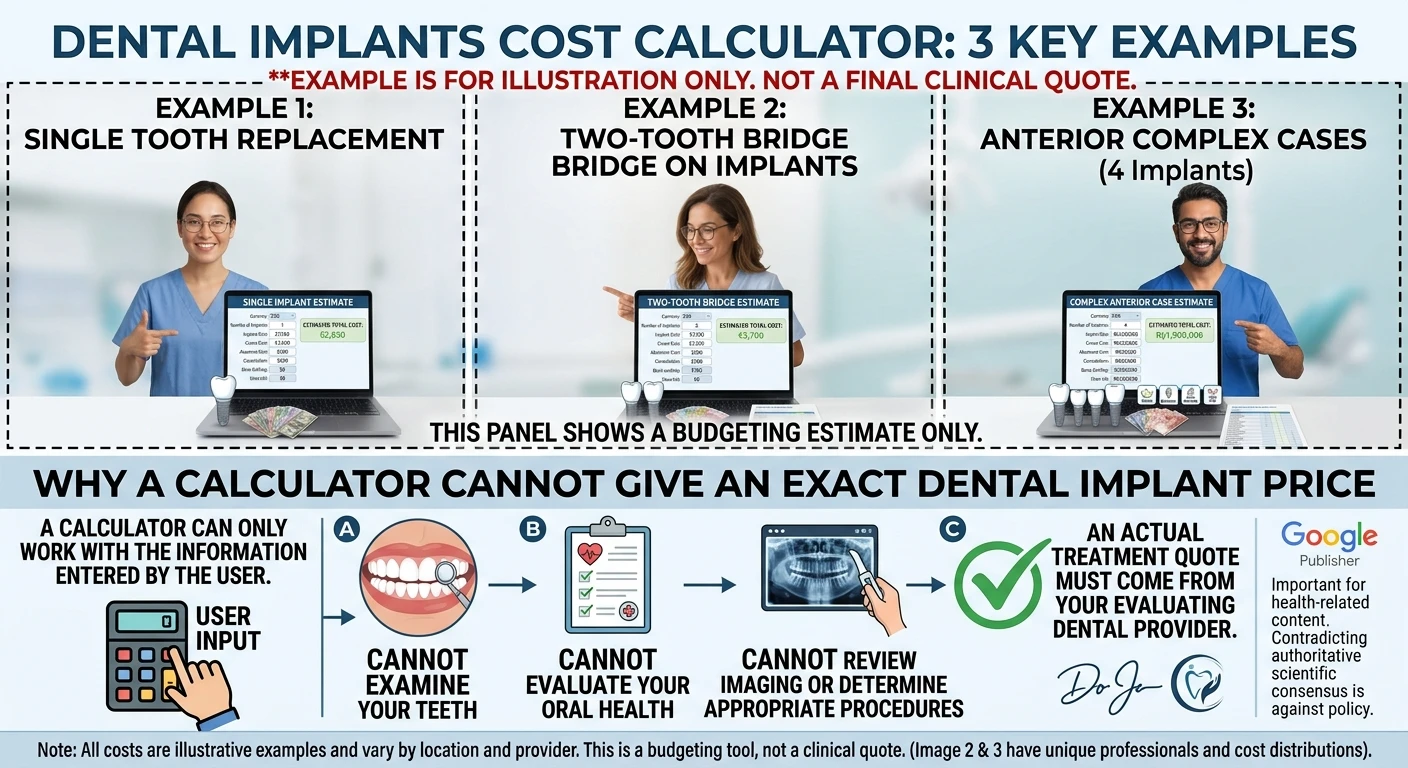
A calculator can only work with the information you enter.
It cannot examine your teeth, evaluate your oral health, review imaging, or determine which procedures are appropriate.
For that reason, view a calculator as a budgeting tool, not a clinical pricing tool.
A real treatment quote should come from the dental provider who evaluates your individual situation.
This distinction matters especially for health-related content. Google Publisher Policies prohibit harmful or unreliable health claims, including content that contradicts authoritative scientific consensus.
Dental Implants Cost Calculator
How to Compare Dental Implant Estimates
If you receive multiple estimates, don’t compare only the final number.
Instead, check what each quote includes.
For example, one quote might include:
Implant
Abutment
Crown
Consultation
Imaging
while another quote might list some of these separately.
A lower total isn’t necessarily directly comparable if it includes fewer services.
Ask What Is Included
When reviewing a dental estimate, check whether the price includes:
Implant placement
Implant component
Abutment
Crown or restoration
Diagnostic procedures
Follow-up appointments
Laboratory charges
Additional procedures
The exact items vary by provider.
Check Whether Costs Are Per Tooth or Per Treatment
Some prices may be presented per tooth, while others may represent an entire stage or procedure.
This is one reason the calculator asks for separate per-tooth costs.
Does Dental Insurance Cover Dental Implants?
Coverage depends on your specific insurance plan and its terms.
Some plans may have limitations, exclusions, waiting periods, or specific conditions for dental implants and related procedures.
Don’t assume an implant will be covered automatically.
If insurance affects your budget, check your policy documents and contact your insurer or benefits provider for current information.
What Is Not Included in the Calculator?
The calculator is intentionally designed as a basic cost-estimation tool.
It does not determine:
Whether you need dental implants
Whether you need bone grafting
Whether you need a sinus lift
Which implant system should be used?
Which crown material is appropriate
Whether a particular treatment is medically suitable
Whether insurance will pay for treatment
Those questions require professional evaluation.
Common Mistakes When Estimating Dental Implant Costs
1. Assuming the Calculator Gives a Market Price
The calculator does not contain a universal database of dental prices.
It uses the values you enter.
2. Adding the Same Cost Twice
If your provider already includes the abutment in the implant price, don’t enter it again as a separate cost.
3. Forgetting Additional Procedures
If your written estimate includes an additional procedure, make sure you account for it.
4. Confusing Currencies
The calculator supports multiple currencies, but it does not convert currencies.
Make sure the entered costs and selected currency match.
5. Assuming Every Patient Needs the Same Treatment
Dental treatment is individual.
For example, bone grafting does not mean every patient needs it.
6. Treating an Estimate as a Final Quote
A calculator result should not replace a quote from a dental professional.
Frequently Asked Questions
How does a dental implants cost calculator work?
It adds the individual costs the user enters, including implants, crowns, abutments, consultation or diagnostic costs, and optional procedures.
Can the calculator tell me the exact cost of dental implants?
No. It provides an estimate based on the values you enter. Actual costs can vary by provider, location, treatment plan, materials, and additional procedures.
Does the calculator convert currencies?
No. Selecting a currency changes how the result is displayed. It does not automatically convert an amount from one currency into another.
Does the calculator include crown costs?
Yes. You can enter the crown cost per tooth, and the calculator multiplies it by the number of implants.
Does the calculator include abutment costs?
Yes. You can enter an estimated abutment cost per tooth.
Can I include bone grafting?
Yes. The calculator has an optional Bone Grafting field.
Can I include a sinus lift?
Yes. You can select the Sinus Lift option and enter an estimated cost.
Are bone grafting and sinus lifts required for everyone?
No. The need for additional procedures depends on the individual’s dental situation and treatment plan. The calculator does not determine whether these procedures are appropriate.
Why are dental implant prices different between clinics?
Prices can vary because of location, provider, materials, laboratory services, implant systems, diagnostic procedures, restoration type, and other treatment-related factors.
Is a dental implant calculator a medical tool?
It is better understood as a budgeting and estimation tool. It does not diagnose conditions or recommend treatment.
Should I rely on the calculator before getting dental treatment?
Use it only to organize an estimate. For treatment decisions and an actual price quote, consult a qualified dental professional.
Tips for Creating a More Useful Estimate
To make your calculator result more meaningful, use actual estimates whenever possible.
For example, instead of entering a random amount, use the price information your dental clinic provides.
Keep separate records for:
Implant-related costs
Crown or restoration costs
Abutment costs
Diagnostic costs
Additional procedures
Follow-up or other quoted charges
This can make it easier to compare different treatment estimates.
It is also useful to ask the provider whether the quote is an estimate or a final price and whether additional charges could apply.
Final Takeaway
The Dental Implants Cost Calculator provides a simple way to estimate potential treatment costs using your own price information.
Enter the number of implants and the estimated cost per implant, crown, and abutment. You can then add consultation or diagnostic costs and, where applicable, optional costs for bone grafting or a sinus lift.
Dental implant treatment is individualized, and the actual price can depend on the dental provider, location, materials, diagnostic requirements, restoration, and additional procedures.
A qualified dental professional can evaluate your individual situation and provide appropriate treatment information and a price estimate.
Health Disclaimer: This calculator and article are provided for general informational and budgeting purposes only. They do not provide medical or dental diagnosis, treatment advice, or a guaranteed price. Always consult an appropriately qualified dental professional for advice about your individual dental needs.
References and Sources
American Dental Association (ADA). Information and educational resources about dental care and dental implants. American Dental Association
Mayo Clinic. Patient information and medical resources, including dental and oral health topics. Mayo Clinic
Zain Bin Shabbir is a content creator and website publisher with 2 years of experience in SEO, web content, and practical online tools. He focuses on creating clear, useful, and user-friendly resources that simplify everyday calculations.