

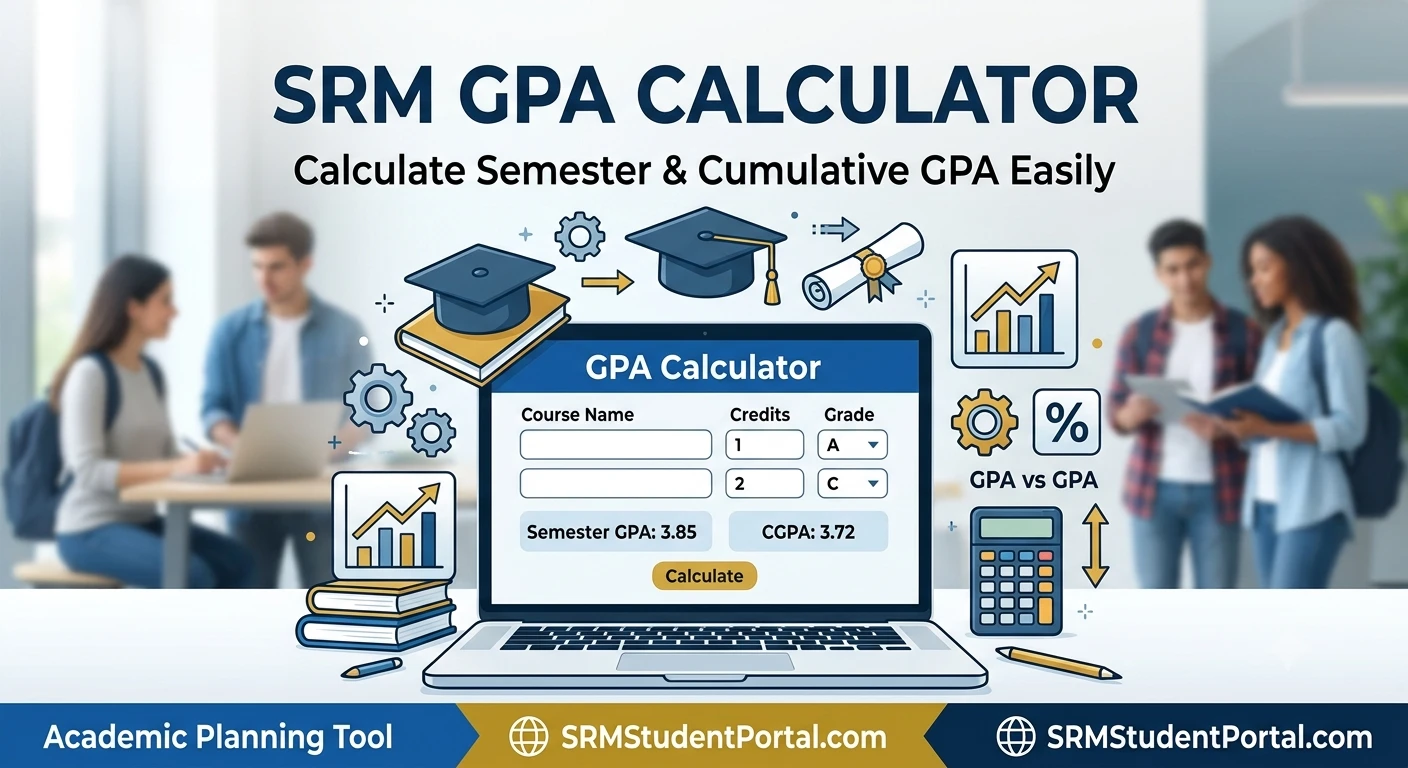
Use our free SRM GPA Calculator to calculate your semester GPA based on subject credits and grade points. Add your subjects, enter the credits and grades, and get your GPA instantly.
Calculate your semester GPA by entering your subjects, credits, and grade points.
| Subject | Credits | Grade | Grade Point |
|---|
GPA is calculated as total grade points divided by total credits.
This calculator is a general GPA estimation tool. Confirm the grading scale and grade-point values used by your specific SRM program or academic regulation.
Use our SRM GPA Calculator to calculate your Grade Point Average (GPA) based on your course grades and credit values. Enter your subjects, credits, and corresponding grade points to estimate your semester or overall GPA quickly.
GPA is an important academic metric used to summarize a student's performance across multiple courses. Instead of calculating every weighted grade manually, a GPA calculator can make the process faster and help you check your academic results.
Important: This calculator provides a mathematical GPA estimate based on the grades, credits, and grade-point values entered. Always compare the result with the official grading policy, transcript, or academic regulations applicable to your program.
If you also need to convert marks into a percentage, use our calculate your percentage tool.
GPA, or grade point average, is a numerical representation of academic performance.
A GPA is generally calculated by taking the grade point earned in each course, multiplying it by the course's credit value, adding the resulting quality points, and dividing the total by the number of credits.
The basic formula is
GPA = Total Quality Points ÷ Total Credit Hours
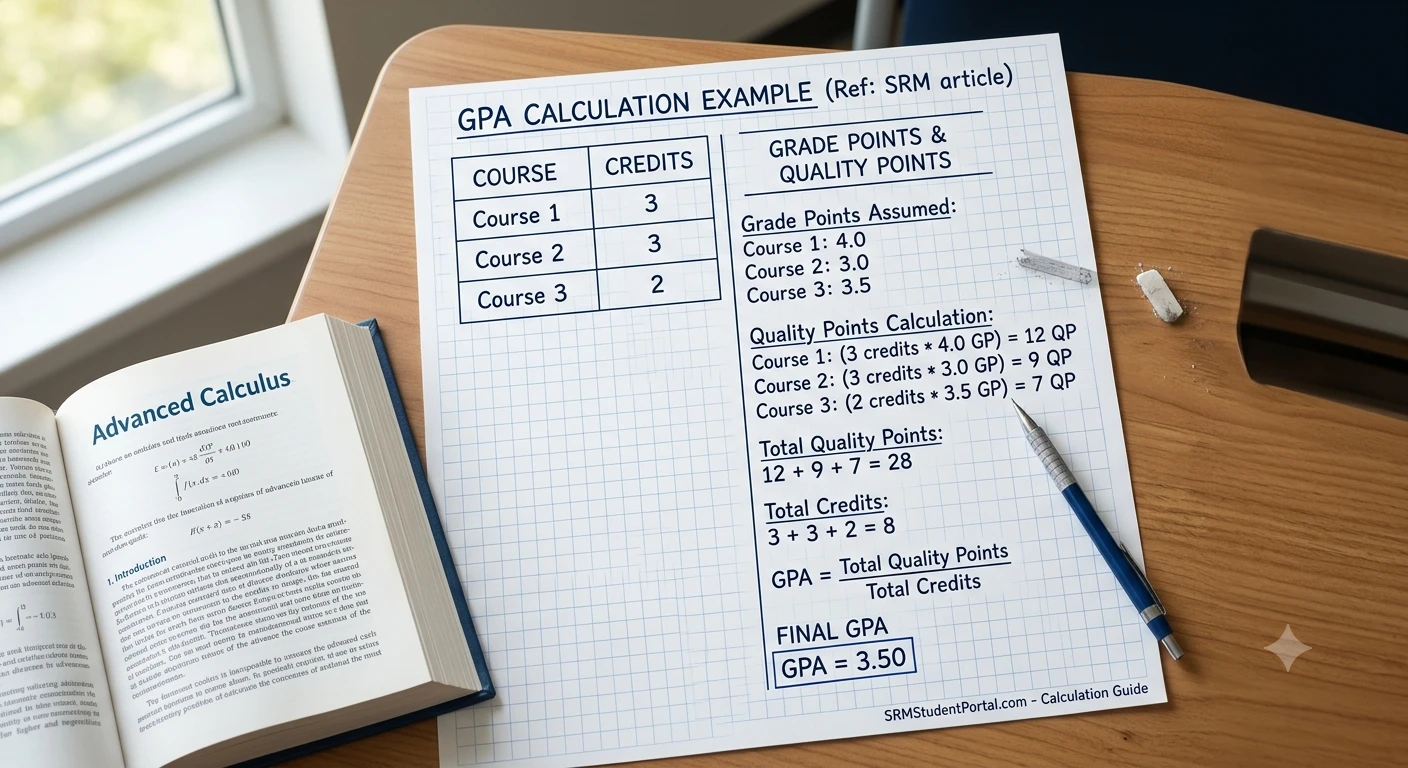
For example, suppose a student takes three courses:
| Course | Credits | Grade Point |
|---|---|---|
| Course 1 | 3 | 4.0 |
| Course 2 | 3 | 3.0 |
| Course 3 | 2 | 3.5 |
The weighted calculation is
(3 × 4.0) + (3 × 3.0) + (2 × 3.5)
= 12 + 9 + 7
= 28 quality points
Total credits:
3 + 3 + 2 = 8
Therefore:
GPA = 28 ÷ 8 = 3.50
The SRM GPA Calculator is designed to help students estimate their GPA using course credits and grade points.
Instead of manually calculating weighted averages, you can enter the relevant academic information into the calculator and obtain a GPA result.
A typical calculation requires:
The exact grading system and grade-point values can vary by SRM institution, academic program, curriculum, and regulations.
Therefore, students should use the official grading information applicable to their course when entering grade points.
Using the calculator is simple.
Add each course or subject included in the GPA calculation.
For example:
Enter the credit value assigned to each course.
For example:
Enter the grade point associated with each course.
For example:
The calculator multiplies each grade point by its corresponding credit value and divides the total quality points by the total credits.
The result is your weighted GPA estimate based on the values entered.
The standard weighted GPA formula is
GPA = Σ(Credit × Grade Point) ÷ Σ(Credit)
Here, Σ means the sum of all values.
For example:
| Subject | Credit | Grade Point |
|---|---|---|
| Mathematics | 3 | 4.0 |
| Programming | 4 | 3.5 |
| Physics | 3 | 3.0 |
Calculate the quality points:
3 × 4.0 = 12
4 × 3.5 = 14
3 × 3.0 = 9
Total quality points:
12 + 14 + 9 = 35
Total credits:
3 + 4 + 3 = 10
GPA:
35 ÷ 10 = 3.50
So the estimated GPA is 3.50.
Credit hours determine how much weight a course has in the GPA calculation.
A course worth 4 credits has a greater effect on the GPA than a course worth 1 credit, assuming the same grading scale.
For example:
Course A: 4 credits, grade point 4.0; Course B: 1 credit, grade point 2.0
Quality points:
4 × 4.0 = 16
1 × 2.0 = 2
Total:
18
Credits:
5
GPA:
18 ÷ 5 = 3.60
The higher-credit course has a greater influence on the final GPA.
GPA and percentage are different ways of representing academic performance.
A percentage generally represents marks obtained relative to total marks.
For example:
80 out of 100 = 80%
GPA, on the other hand, uses grade points and often incorporates course credits.
For example:
GPA = 3.6
The relationship between GPA and percentage is not universally fixed.
Different universities and academic systems may use different grading scales and conversion rules.
Therefore, you should not automatically assume that a particular GPA always corresponds to one exact percentage unless the relevant institution officially provides that conversion.
GPA and CGPA are related but are not necessarily the same.
GPA usually refers to the grade point average for a particular semester, term, or selected group of courses.
CGPA means Cumulative Grade Point Average.
It generally represents academic performance across multiple semesters or the entire period of study, depending on the institution's calculation method.
For example, a student may have:
The cumulative result requires the relevant credits and grading rules rather than simply averaging the three GPA values in every situation.
If the semesters have different credit totals, a weighted calculation may be required.
A simple cumulative calculation can be performed by dividing total quality points by total credits.
The formula is
CGPA = Total Quality Points Across All Courses ÷ Total Credits Across All Courses
For example:
Quality points:
20 × 3.2 = 64
Quality points:
25 × 3.6 = 90
Combined:
64 + 90 = 154 quality points
Total credits:
20 + 25 = 45
CGPA:
154 ÷ 45 ≈ 3.42
This is why simply calculating
(3.2 + 3.6) ÷ 2 = 3.4
may not give the correct cumulative result when the semesters have different credit totals.
Higher grade points increase the GPA, while lower grade points decrease it.
Consider two courses with equal credit values:
| Course | Credits | Grade Point |
|---|---|---|
| Course A | 3 | 4.0 |
| Course B | 3 | 2.0 |
Quality points:
3 × 4.0 = 12
3 × 2.0 = 6
Total:
18
Credits:
6
GPA:
18 ÷ 6 = 3.00
If the second course's grade point increases, the overall GPA also increases.
This illustrates why improving performance in higher-credit courses can have a noticeable effect on GPA.
You can calculate GPA without a calculator by following four basic steps.
Write down every course included in the calculation.
Write the credit value for each course.
For every course:
Credit × Grade Point = Quality Points
Use:
GPA = Total Quality Points ÷ Total Credits
| Course | Credits | Grade Point | Quality Points |
|---|---|---|---|
| A | 3 | 4.0 | 12 |
| B | 4 | 3.0 | 12 |
| C | 2 | 3.5 | 7 |
Total quality points:
31
Total credits:
9
GPA:
31 ÷ 9 ≈ 3.44
The estimated GPA is therefore 3.44.
Different credit values are one of the main reasons GPA should be calculated using a weighted formula.
Suppose:
A simple average of the grade points would be
(4.0 + 2.0) ÷ 2 = 3.0
But the weighted GPA is
(5 × 4.0 + 1 × 2.0) ÷ 6
= 22 ÷ 6
= 3.67
The weighted result is substantially different.
This demonstrates why credit hours matter.
Yes, but you first need to know the grade-point value assigned to each letter grade under the applicable grading system.
For example, a system might assign different grade points to:
However, grading scales vary between institutions.
Therefore, don't assume that every university uses the same numerical value for each letter grade.
For the most accurate result, enter the grade-point values specified by the relevant SRM academic regulations or grading documentation.
A failed course can affect GPA depending on the applicable academic rules.
The effect can depend on factors such as
Because these policies can vary, the calculator should not be used to predict official academic outcomes unless the underlying grading rules are correctly entered.
For percentage-based monetary calculations, you can also use our tool to calculate money portions.
Repeating a course can affect GPA in different ways depending on the institution's rules.
Some academic systems may:
Therefore, if you have repeated a course, check the applicable academic policy before calculating your official cumulative GPA.
A GPA calculator can tell you your current academic average, but improving your GPA depends on your future course performance.
Some practical strategies include:
Higher-credit subjects have a greater effect on weighted GPA.
Don't wait until final results to estimate your GPA. Monitoring grades can help you understand where improvement may have the greatest impact.
Know how letter grades translate into grade points in your specific academic system.
A consistent performance across courses can help maintain a stable GPA.
You can use your current GPA, completed credits, and expected future credits to estimate what grades may be required to reach a target GPA.
Suppose your current GPA is
3.20
and you have completed:
60 credits
You want to reach:
3.40
after completing another:
20 credits.
Current quality points:
3.20 × 60 = 192
Desired total quality points:
3.40 × 80 = 272
Additional quality points required:
272 − 192 = 80
Required GPA for the next 20 credits:
80 ÷ 20 = 4.00
Therefore, under these assumptions, you would need a 4.00 GPA across the next 20 credits to reach a cumulative 3.40.
This type of calculation can be useful for academic planning, although actual institutional rules should always be considered.
Manually calculating GPA can be time-consuming, especially when a semester contains many courses with different credit values.
An SRM GPA calculator can help you:
It can also reduce common arithmetic mistakes.
If courses have different credit values, simply averaging grade points may produce an incorrect GPA.
Credit hours determine the weight of each course in a weighted GPA calculation.
Different institutions can use different grading systems.
GPA and percentage are not automatically interchangeable.
Rounding individual calculations before completing the full calculation can introduce small inaccuracies.
If semesters contain different numbers of credits, the cumulative result should generally account for the total credits and quality points.
An SRM GPA Calculator is a tool that helps estimate GPA using course credit values and grade points according to the values entered.
The basic weighted GPA formula is
GPA = Total Quality Points ÷ Total Credits
Quality points are calculated by multiplying a course's credit value by its grade point.
Quality Points = Credits × Grade Point
Yes. Courses with more credits generally have a greater influence on a weighted GPA.
Yes, if you know the grade-point value associated with each letter grade under your applicable grading system.
No. GPA commonly represents performance for a particular semester or group of courses, while CGPA generally represents cumulative performance across multiple semesters or a larger period of study.
No. GPA and percentage are different academic measurement systems. A conversion should only be made using the official conversion method applicable to the institution.
Yes. If you know the quality points and credits from all relevant courses or semesters, you can calculate the cumulative GPA.
Yes. The effect depends on the applicable academic rules concerning repeated courses and grade replacement.
It may. The exact effect depends on the grade-point system and institutional academic regulations.
Improving grades, especially in higher-credit courses, can have a greater effect on a weighted GPA. Monitoring performance throughout the semester can also help with academic planning.
The mathematical GPA formula can be used with the correct grade-point values and credits, but grading scales and academic policies differ. For an SRM-specific result, use the official grading scale applicable to your program.
Yes. With your current GPA, completed credits, target GPA, and planned future credits, you can estimate the GPA needed in future coursework.
The SRM GPA Calculator is provided for general educational and mathematical purposes. It does not replace an official transcript, university grade report, academic record, or institutional GPA calculation.
Grading scales, credit policies, repeated-course rules, grade replacement policies, rounding methods, and GPA/CGPA calculations may vary by institution and academic program.
Always verify your final GPA against the official academic records and regulations applicable to your SRM program.

Zain Bin Shabbir is a content creator and website publisher with 2 years of experience in SEO, web content, and practical online tools. He focuses on creating clear, useful, and user-friendly resources that simplify everyday calculations.
Guides that go deeper into this topic