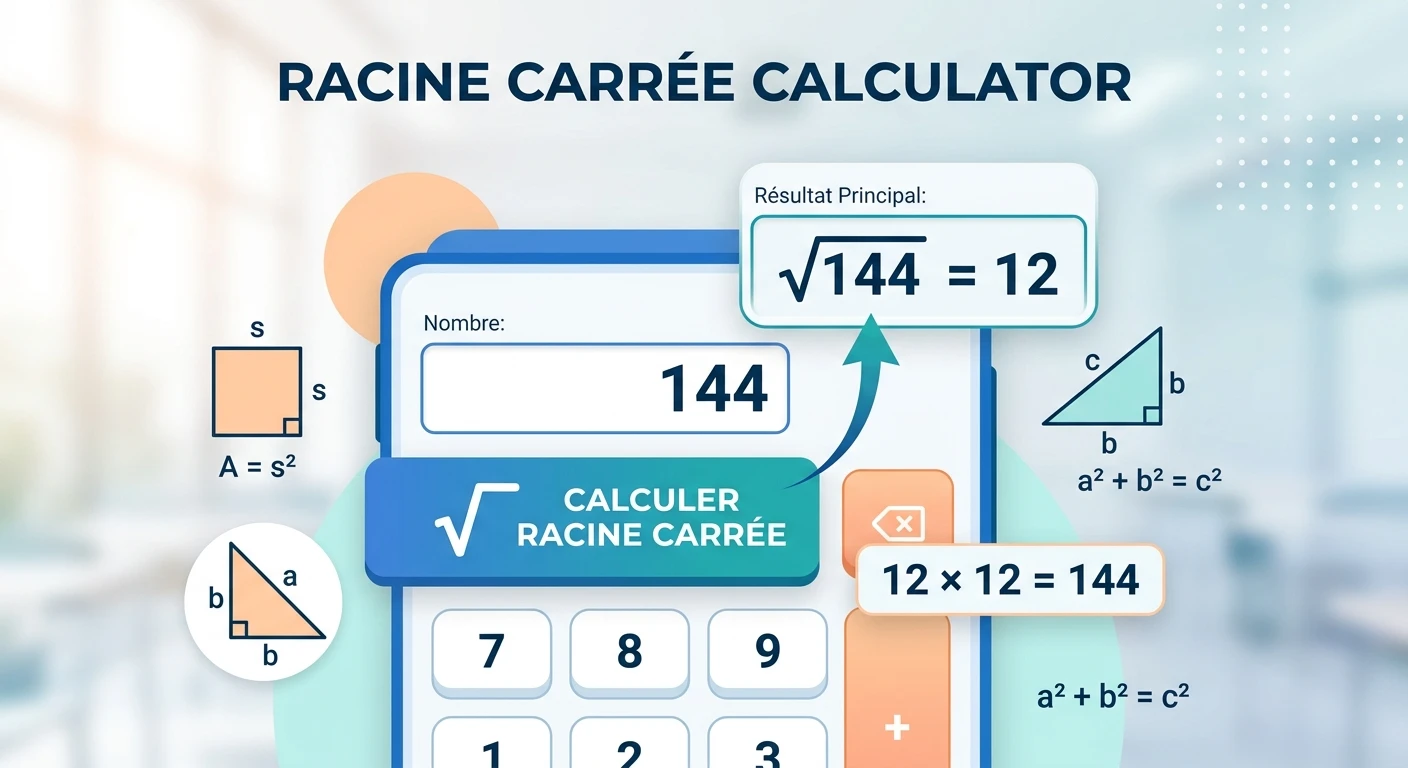
A racine carrée calculator is a simple mathematical tool that helps you find the square root of a number quickly. Instead of estimating the answer manually, you can enter a non-negative number and get its square root instantly.
The square root is an important concept in mathematics, especially in algebra, geometry, statistics, physics, engineering, and many other quantitative subjects. It is also the inverse operation of squaring a number. For example, because 122=144, the principal square root of 144 is 12.
Our Racine Carrée Calculator is designed for straightforward calculations. Enter a number such as 144, click Calculate Square Root, and the tool displays the result along with a verification showing that the calculated value multiplied by itself returns the original number.
Quick answer: The square root of a number x is the non-negative number y such that y×y=x. Therefore, 144=12.
“Racine carrée” is the French term for square root.
The square root of a number is a value that produces the original number when multiplied by itself. In mathematical notation: x=y
when: y^2 = x
For example: 25=5
because 5×5=25
Similarly, 81=9
because 9×9=81
The symbol √ is called the radical sign. The number inside the radical is called the radicand. The radical notation x represents the principal, or non-negative, square root.
How Does a Square Root Work?
Square roots reverse the process of squaring.
Consider: 72=49
If we start with 49 and want to reverse the operation, we take its square root: 49=7.
This is why the square root function can be viewed as the inverse of squaring. OpenStax explains that taking a square root can undo squaring.
The same idea works for many perfect squares:
Number
Square Root
1
1
4
2
9
3
16
4
25
5
36
6
49
7
64
8
81
9
100
10
121
11
144
12
169
13
196
14
225
15
Knowing common perfect squares can make mental calculations much faster.
What Is a Perfect Square?
A perfect square is a number that can be written as the square of an integer.
For example: 1=124=229=3216=4225=52
Therefore, 1, 4, 9, 16, and 25 are perfect squares.
When you take the square root of a perfect square, the answer is an integer.
For example: 100=10
because 102=100
However, not every positive number is a perfect square.
For example: 10 ≈ 3.16227766
The result is a decimal, not an integer.
OpenStax also demonstrates that square roots such as 17 can be approximated using a calculator and rounded to a desired number of decimal places.
How to Use the Racine Carrée Calculator
Using our calculator is straightforward.
Step 1: Enter a Number
Enter a zero or positive number in the Enter a Number field.
For example:
144
Step 2: Click Calculate Square Root.
Click the Calculate Square Root button.
The calculator uses the square-root function to determine the principal square root.
Step 3: Review the Result
For 144, the calculator returns 144 = 12.
It also displays a verification: 12×12=144.
This gives you a simple way to check the calculation.
Step 4: Reset When Needed
To perform another calculation, click Reset and enter a new value.
The calculator also supports pressing Enter after entering a number.
Square Root Formula
The basic relationship between a number and its square root can be written as x=y.
where y^2 = x
For example, suppose x=64.
We need to find a number that, when multiplied by itself, produces 64.
Since 8×8=64
We get 64=8.
Another example is 225=15.
because 15×15=225
This relationship helps you check square-root calculations manually.
Principal Square Root vs. Positive and Negative Roots
One point that can sometimes confuse is the difference between the square root of a number and the principal square root.
For example: 52=25
and (−5)²=25
Therefore, both 5 and -5 are square roots of 25 when solving the equation: x^2 = 25
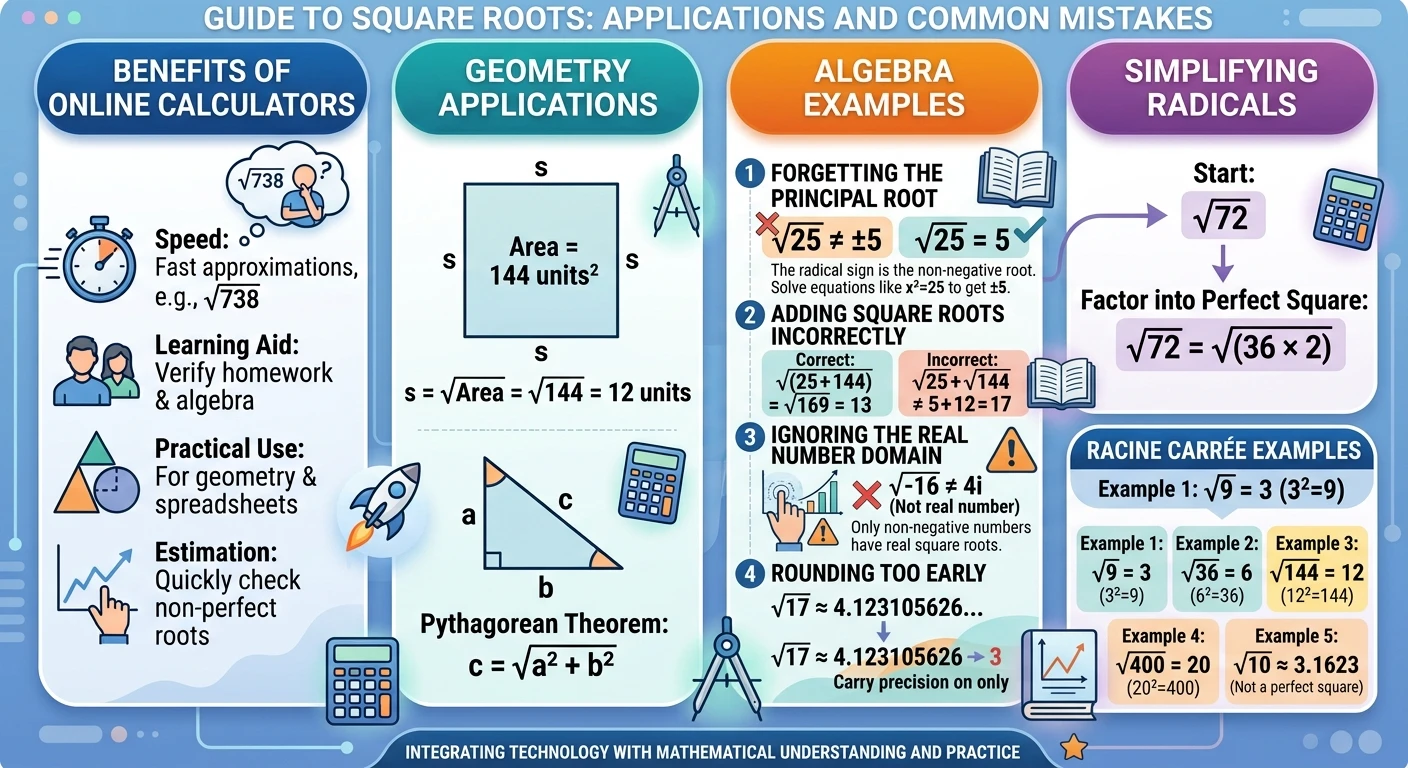
However, 25=5
The radical symbol represents the principal square root, which is the non-negative root. OpenStax specifically distinguishes the two square roots of a positive number from the principal square root represented by the radical sign.
This distinction is important when solving algebraic equations.
Square Root of Zero
Zero is a special case. 0=0
because 0×0=0
Unlike a positive number, zero has only one square root: zero.
So our calculator accepts zero as a valid input.
Can You Calculate the Square Root of a Negative Number?
In the real number system, the square root of a negative number is not real.
For example: −9
does not have a real-number result.
That is why the Racine Carrée Calculator asks users to enter zero or a positive number. OpenStax likewise notes that the square root of a negative number is not a real number.
Negative square roots can be discussed using complex numbers. For example: −9=3i
where i is the imaginary unit and i² = −1
However, that is outside the purpose of this calculator, which is designed for real-number square roots.
How to Calculate a Square Root Without a Calculator
You can calculate some square roots mentally if the number is a perfect square.
For example: 121
Think of a number that, multiplied by itself, equals 121: 11×11=121.
Therefore: 121 = 11
For a non-perfect square, you can estimate the answer by identifying nearby perfect squares.
Suppose you want to estimate 50.
We know 72=49.
and 82=64
Therefore: 7 < 50 < 8
The exact decimal value is approximately 50≈7.0711.
This approach is useful when you only need an approximate answer.
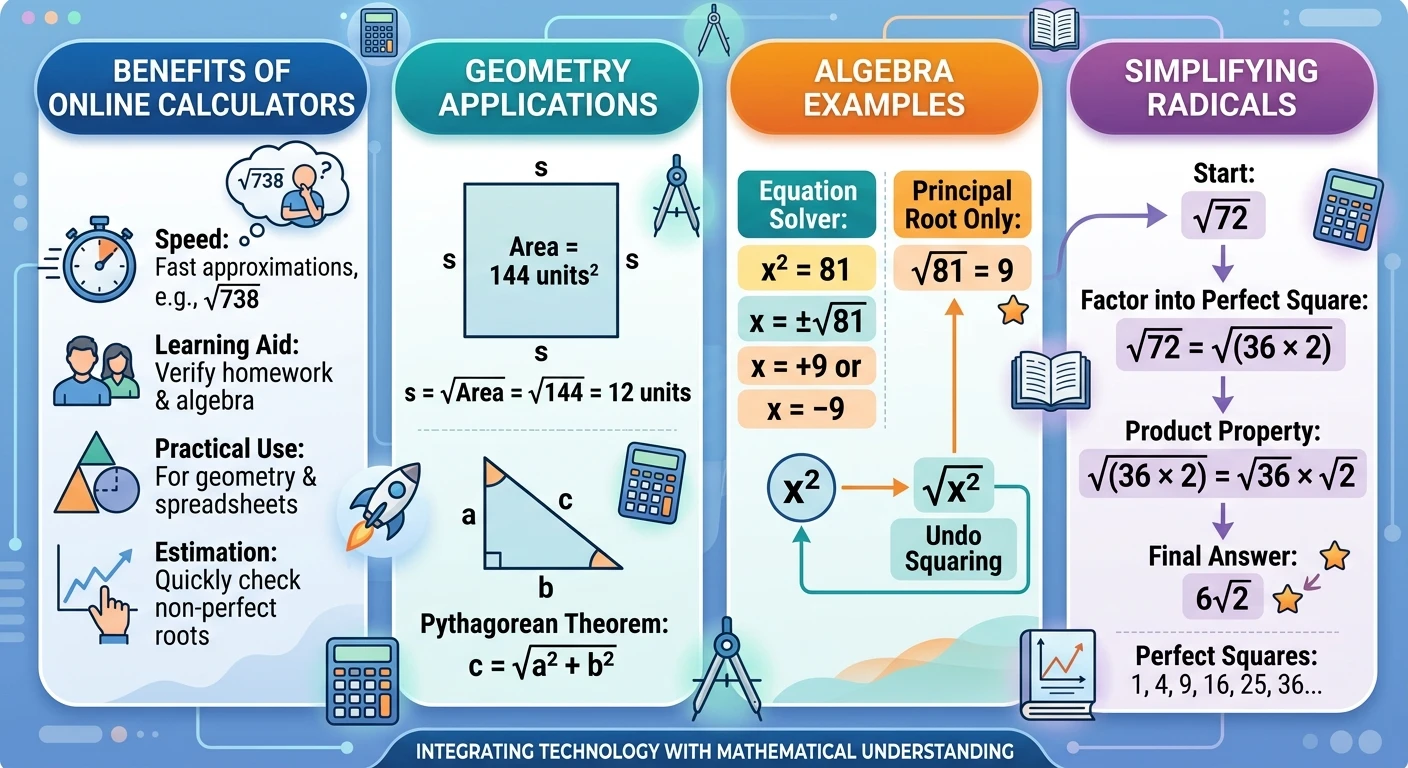
Why Use an Online Square Root Calculator?
An online calculator can be useful when you need to perform several calculations quickly or when the number is not a perfect square.
For example, manually estimating 738738
can take some time. A calculator can provide a decimal approximation almost immediately.
An online tool can be particularly useful for:
Checking homework calculations
Verifying algebra exercises
Working with geometry formulas
Checking spreadsheet calculations
Estimating mathematical results
Learning how square roots work
Quickly checking non-perfect square roots
However, calculators should support understanding rather than replace it. Knowing the underlying relationship between squaring and square roots makes it easier to recognize whether an answer is reasonable.
Square Roots in Geometry
Square roots are commonly used in geometry.
For example, the area of a square is A = s^2s2.
where s represents the side length.
If the area is known and you want to find the side length, you can reverse the equation: s = A
Suppose a square has an area of 144 square units.
Then: s=144=12
So each side is 12 units long.
Square roots also appear in distance calculations and the Pythagorean theorem. Mathematics textbooks use square roots in geometry and other applications where you need to reverse a squared quantity.
Square Roots in Algebra
Square roots are an important part of algebra.
For example, x²=81
To solve for x, take the square root of both sides: x=±81
Therefore: x=±9
Notice the difference between this equation and simply writing 81=9.
The radical gives the principal square root, while solving an equation such as x^2 = 81 requires considering both values that square to 81.
This distinction is an important part of working with square-root equations.
“Racine carrée” means “square root” in French. It is the non-negative number that, when multiplied by itself, produces the original non-negative number.
What is the square root of 144?
The square root of 144 is:144=12
because 12×12=144.
What is the square root of 0?
0=0
Zero is the only square root of zero.
Can I use the calculator for decimal numbers?
Yes. The calculator accepts decimal values because the input field uses a any step value. For example, you can enter 12.5 and calculate its square root.
Can I enter a negative number?
The calculator is designed for real square roots, so it rejects negative numbers. A negative number has no real square root.
What is a perfect square?
A perfect square is a number that can be expressed as an integer multiplied by itself. Examples include 1, 4, 9, 16, 25, 36, and 100.
Is √25 equal to ±5?
No. The principal square root of 25 is 5.
The equation x^2 = 25, however, has two solutions: x = ±5.
How accurate is the Racine Carrée Calculator?
The calculator uses the standard square-root function available in JavaScript and displays up to 12 decimal places. The displayed result is therefore an approximation for most non-perfect square inputs.
Can square roots be simplified manually?
Yes. If the number under the radical contains a perfect-square factor, you can use the product property to simplify it. For example: 72=62
Where are square roots used?
Square roots are used in algebra, geometry, distance calculations, area formulas, statistics, physics, engineering, and many other mathematical applications.
Use only links to pages that actually exist on your website. This keeps the internal-link structure useful and avoids creating broken links.
Why Learning Square Roots Still Matters
An online tool makes calculations faster, but understanding square roots is still valuable.
When you understand that a square root reverses squaring, you can recognize relationships such as 12^2 = 144.
Therefore: 144 = 12
You can also estimate whether an answer makes sense. If you calculate the square root of 50, for example, you already know the answer must be between 7 and 8 because 7^2 = 49.
and 82=64
That basic reasoning can help you identify incorrect results even when using a calculator.
Conclusion
The Racine Carrée Calculator provides a quick way to calculate the principal square root of any zero or positive real number. It is especially useful for perfect squares, decimal values, homework checks, algebra practice, geometry calculations, and other everyday mathematical tasks.
The underlying concept is simple: if y^2 = x, then y is a square root of x. The radical symbol represents the non-negative principal square root.
For a quick calculation, enter your number into the calculator above and select Calculate Square Root. For learning purposes, you can also verify the result by multiplying the answer by itself and checking whether it returns the original number.
Disclaimer
This calculator is provided for educational and informational purposes only. It uses the standard square-root function to calculate the principal square root of a non-negative real number. Results for non-perfect squares are displayed as decimal approximations and may be rounded for presentation. For academic, technical, or professional work, follow the precision and rounding requirements applicable to your calculation.
Recommended Sources
OpenStax – Intermediate Algebra: Square Roots Square root ki definition, principal square root, positive/negative roots, aur square-root notation ke liye reliable educational source. OpenStax – Intermediate Algebra
Wolfram MathWorld – Square Root Square root ki mathematical definition, principal square root aur square-root function ke background ke liye reference. Wolfram MathWorld – Square Root
Free & instant results
Written by
Zain Bin Shabbir
Zain Bin Shabbir is a content creator and website publisher with 2 years of experience in SEO, web content, and practical online tools. He focuses on creating clear, useful, and user-friendly resources that simplify everyday calculations.